How to prevent your list from getting crushed
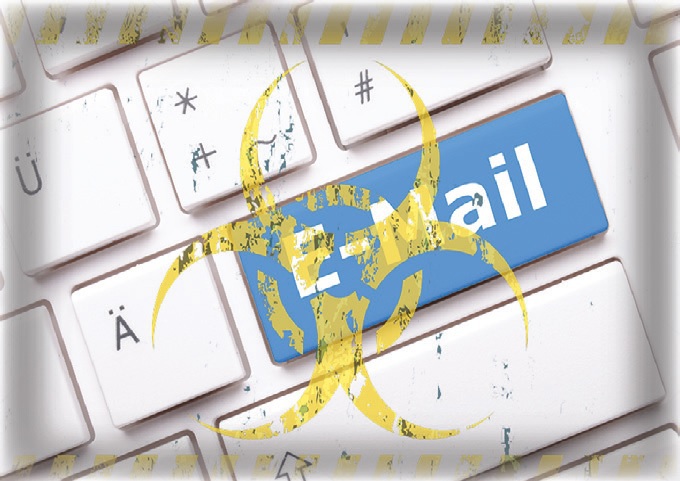
Con artists. Bots. Identity thieves. Disreputable marketers. Each time you open your email inbox, you’re making yourself vulnerable to a range of threatening entities like these — all vying to take advantage of you via spam mail.
Major Internet service providers (ISPs) like Gmail, Outlook and Hotmail are on the case, actively analyzing, flagging and weeding out threatening and unsafe spam emails sent to you by these types of undesirables. According to estimates from Cisco, spam accounted for 85 percent of all emails sent during April 2019.
However, there is a significant downside to diligent spam monitoring by major email service providers. For “good” email senders, such as nonprofits, the negative fallout from overly aggressive spam filtering is proving highly consequential.
An average nonprofit, according to the Nonprofit Email Deliverability Study by EveryAction, misses out on nearly $25,000 annually because 18 percent of its email goes to spam. For bigger organizations, this can mean losing out on hundreds of thousands of donor dollars each year.
With this in mind, here are a few key best practices you can and should incorporate into your email programs to keep your valuable communications from ending up in spam folders

1. Prevent new, toxic emails from getting on your lists. Consider this all too common circumstance: A Hotmail user mistakenly enters her email address on your email subscribe page as ‘jennifer@hotmial.com’ instead of ‘jennifer@hotmail.com’ This seemingly minor oversight could have serious email deliverability ramifications for you.
“Hotmial.com” is one of many common “typo domains” kept by blacklist operators to identify and sanction email marketers with poor data hygiene practices. Sending an email to this address could result in your organization’s IP addresses being added to a blacklist database, adversely affecting the email deliverability of your entire file. A single blacklisting by anti-spam project like SpamHaus could drop your organization’s email inbox deliverability by 50 to 80 percent.
One way to prevent toxic email addresses from being added to your list is by integrating a third-party tool like mailcheck, a useful plugin for your online forms that auto-suggests correct domains when people mistype them in an email address form field. The other is to ensure that you implement ongoing, standard list hygiene practices for your file. Regularly remove dead email domains, spam-trap email addresses, and typo domains from your file.
2. Up your email file hygiene game. Contrary to popular belief, it’s not true that a donor is more valuable the longer they stay on your list. Email addresses frequently go inactive for a variety of reasons. If you continue to send messages to them, it can flag ISPs to take notice and potentially start identifying you as a spammer.
Many of the reasons email addresses on your list go bad are simply circumstantial. For instance, people change jobs and their company email address stops working. They graduate from school and their email address gets left behind. They change email platforms from Yahoo to Gmail. Or, their ISP gets acquired, such as when Mediaone was bought by AT&T, and then that business was bought by Comcast.
Millions of email addresses changed with each of these buyouts. The 2018 Fundraising Effectiveness Survey Report showed that 99 donors were lost through attrition for every 100 donors gained.
To stay on top of attrition and avoid sending to “bad” email addresses, you must regularly detect, block and unsubscribe obviously bad addresses while purging lapsed and inactive subscribers. Some specific tactics include making sure your soft bounce to hard bounce counter is set to approximately three, and that hard bounces aren’t emailed. You should run an email change of address (ECOA) on your file — especially soft and hard bounces and detected email address mistypes.
Developing good mailing list hygiene is one of the most critical requirements for running a successful email marketing program. The good news is that there are many tools at your disposal, to help you along the way.
3. Be aware of the new email “metrics.” When your subscribers delete your messages without reading them, an ISP like Google or Microsoft counts that as a strike against you. Even worse, when your subscribers flag your messages as spam, just a few of these can negatively affect your inbox rates.
In the case of Yahoo or Hotmail, this could impact 10 to 30 percent of your list, with the ISPs more diligently filtering your messages into spam boxes which cuts down your deliverability rates. For Gmail, this could affect up to 30 to 50 percent of your list.
At a minimum, you want subscribers who regularly open your email. Even better, you want them to read it. Better still, you want them to click it, save it, file it or share it. All of these ways that your subscribers engage with your email increase your email deliverability rate. The absence of them increase the likelihood that broad swaths of your email file will either go directly to your subscribers’ junk folders, or be blocked from delivery at all.
One of the changes in the industry during the past five years is that ISPs are now watching these metrics, even if you’re not. This is not to say that you require every subscriber to open your mail. But you will need to strongly consider monitoring and suppressing inactive subscribers if you want to maintain good inbox delivery rates.
Any subscriber who has been ignoring your email campaigns should be suppressed out of email sends after six to18 months. You’ll likely find that even though you’re emailing fewer people, your delivery rate will go up, and more people will actually receive your emails in their inboxes. It’s likely your response rates and revenue will increase as well.
Here’s the final, most important point for preventing your lists from getting crushed.
4. Make email engagement a top priority. For your email campaigns, you need the ISP to see that your subscribers are opening, reading and clicking the messages you send out. Ensure your subscribers open your mail, scroll all the way through to the bottom and — best of all — click a link. This is all positive engagement that ISPs are tracking and that factor in to higher deliverability rates. Here are some basic ways to get started:
A. Improve what you send:
- Constituent-centricity: Send only relevant, compelling content;
- Set appropriate expectations on signup, and then meet them;
- Regularly test to improve engagement (factors like sender, subject line, user experience (UX), content, calls to action, design, forms); and,
- Capture constituent interest and deliver more of the content they’re interested in.
B. Improve when you send it:
- Optimize message delivery times. Deliver messages at the time of day (or week) the subscriber is most likely to respond; and,
- Provide relevant, timely feedback (“We’re putting your gift to work right away…” “Your gift helped achieve xyz!”)
C. Improve how you send it:
- “Onboard” new subscribers;
- Make sure all email templates are mobile friendly; and,
- Regularly purge lapsed and inactive subscribers.
Spam is a huge business, because email still reigns supreme in the land of marketing. A recent Adobe survey found that the average American consumer spends 5.4 hours each weekday checking their email, and it’s their favorite communication channel at work. Meanwhile, email messaging drove 13 percent of all online revenue for nonprofits in 2018.
The good news here is that your existing and future donors still prefer hearing from you via email and are definitely paying attention to their inboxes. With that in mind, one sure-fire way to make certain your valuable communications are not getting lost in spam boxes is to take measures to keep your list in tip-top shape.
Your email campaigns certainly won’t stop, nor will diligent spam monitoring by ISPs, but it’s within your control to maximize your email deliverability by incorporating a few key best practices.
Mikaela King is vice president, integrated marketing at The National Geographic. Her email is miking@ngs.org. Randy Paynter is the founder and CEO of Care2, His email is randy@care-2team.com